Features
What Lapseguard does, shown with real screens from the product.
The certificate reads itself
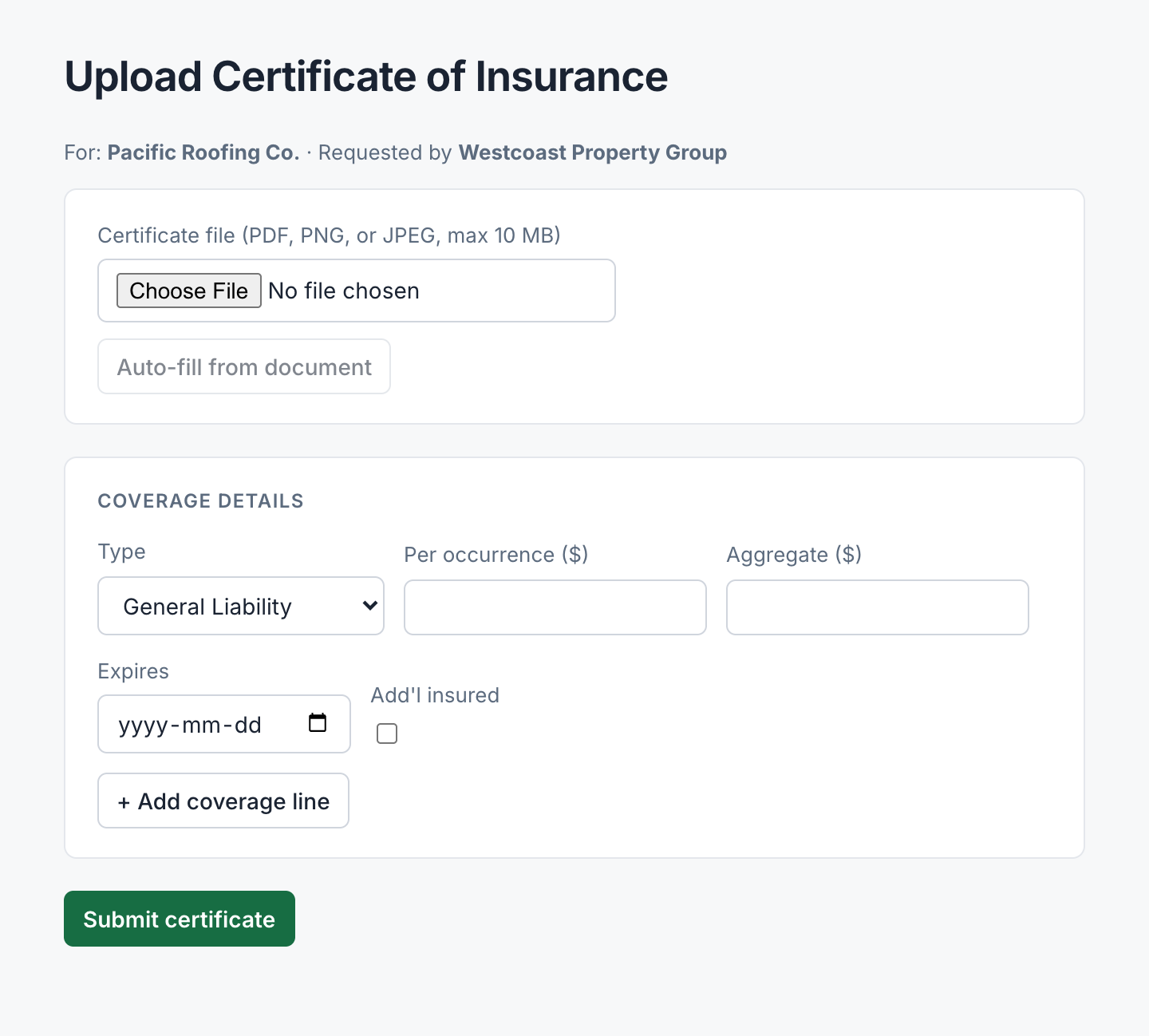
A vendor attaches their COI and clicks one button. The coverage types, limits, and expiry dates fill in from the document. The vendor checks the numbers and submits. Nobody retypes an ACORD form.
Every certificate is checked, line by line
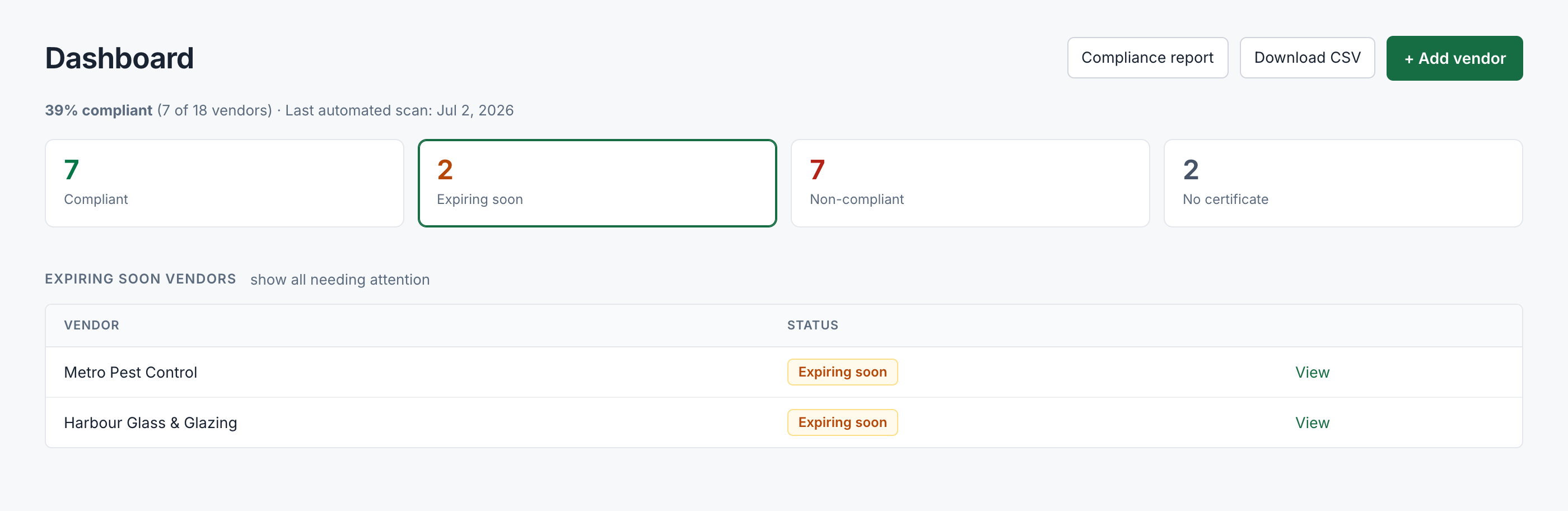
Each coverage on the certificate is compared against the minimums you set: per-occurrence limit, aggregate, additional insured, and expiry date. A failed check shows the exact reason in plain English, and the vendor is told what to fix.

Renewals are chased for you
Notices go out 30, 14, 7, and 1 day before a policy expires, then weekly while anything is missing. Emails carry your company name and replies come to your inbox. The follow-up stops on its own when a valid certificate arrives.
Different trades, different rules
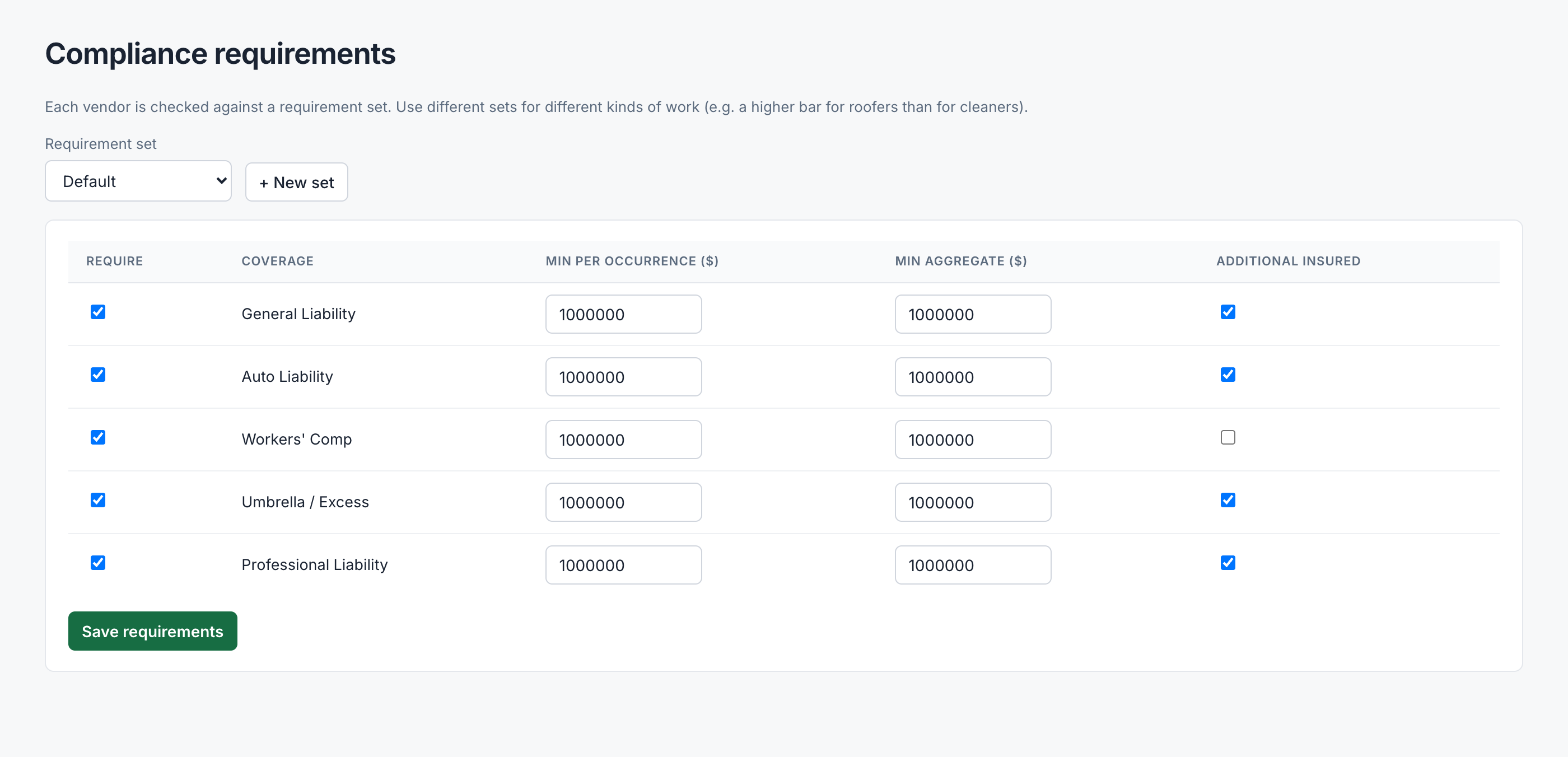
Hold roofers to $5M general liability while landscapers need $2M. Requirement sets let you define the rules once per trade. Every certificate is checked against the set its vendor belongs to.
Proof, when someone asks for it
Every certificate ever submitted is kept with the result it was given at the time, and every reminder is logged with its date. When an insurer or owner asks whether you verified a vendor, the record is one click away as a PDF or CSV.

Setup takes an afternoon
Not a migration project. Book a walkthrough and we'll get you started.